Doctors: Apne Public Profile ki Qualifications aur Clinic Details Kaise Accurate Rakhein?
Apne online doctor profile par sahi qualifications, specialties aur clinic ki jaankari update karna seekhein. Patients ko sahi information mile, iske…

10 views
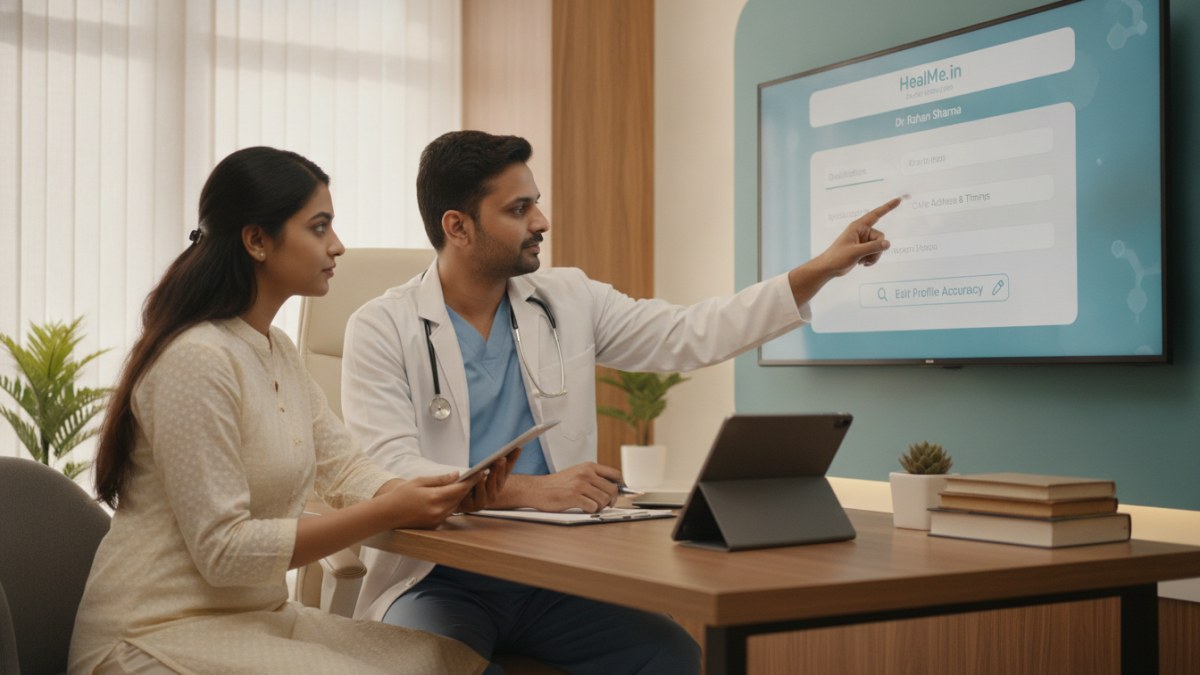
Apne Public Doctor Profile ki Jaankari Update Kyun Zaroori Hai?
Ek accurate aur up-to-date public doctor profile patients ke liye bahut important hai. Jab patients aapko online search karte hain, toh unhe aapki qualifications, specialties, clinic ka address, contact details aur timings ki sahi jaankari milni chahiye. Isse unka trust badhta hai aur aapki practice tak pahunchna aasan ho jaata hai. Galat ya purani jaankari se patients confuse ho sakte hain.
Apne Doctor Profile ki Details Kaise Update Karein?
DoctorsDetails platform par apne public profile ki jaankari update karna ek simple process hai. Yahan kuch steps diye gaye hain jinhe follow karke aap apni details sahi rakh sakte hain:
- Apna Doctor Profile Search Karein ya Create Karein: Sabse pehle, DoctorsDetails website par jaakar apna naam search karein. Agar aapka profile pehle se listed hai, toh use find karein. Agar nahi hai, toh ek naya profile create karne ka option chunein.
- Profile Ownership Verify Karein: Agar aapko apna profile mil gaya hai ya aapne naya banaya hai, toh uski ownership verify karna zaroori hai. Is process se confirm hota hai ki aap hi us profile ke rightful owner hain.
- Apne Doctor Workspace Mein Login Karein: Ownership verify hone ke baad, aapko apne doctor workspace mein login karna hoga. Yahin se aap apne profile ki saari details manage kar sakte hain.
- Qualifications aur Specialties Update Karein: Workspace mein, 'Profile' section mein jaakar apni medical qualifications (jaise MBBS, MD, MS) aur specialties (jaise Cardiology, Pediatrics, Dermatology) ko add ya update karein. Ensure karein ki saari jaankari sahi aur complete ho.
- Clinic Details Check aur Update Karein: Apne clinic ka address, contact number, working hours aur available facilities ko review karein. Agar koi badlav hai, toh use turant update karein. Sahi clinic details patients ko aap tak pahunchne mein help karti hain.
- Profile Photo aur Services Add Karein: Ek professional profile photo upload karein. Aap apni clinic mein provide ki jaane wali services ko bhi list kar sakte hain, jaise general consultation, minor procedures, diagnostic tests, etc.
- Updates Submit Karein aur Review Process Follow Karein: Saari changes karne ke baad, updates ko submit karein. Platform ki team aapki submit ki gayi jaankari ko review karegi taaki accuracy maintain ho sake. Review process complete hone ke baad, aapke public profile par updates dikhne lagenge.
Medical Representatives (MRs) ke Liye Tips
Agar aap ek Medical Representative hain aur kisi doctor ke profile mein updates dekhte hain, toh aap doctor ko is platform ke baare mein bata sakte hain. Unhe samjhayein ki kaise woh apne profile ki jaankari khud manage kar sakte hain. Hamesha doctor ki preferences aur response ka samman karein. Kisi bhi tarah ke anuchit prastav ya incentives se bachein.
DoctorsDetails Platform Services
DoctorsDetails platform doctors aur clinics ke liye kai useful services provide karta hai:
- Public Doctor Profile: Patients ko aapke practice ke baare mein accurate information provide karne ke liye apna profile banayein ya claim karein. Ismein qualifications, specialties, clinic information, profile photo aur services shamil hain.
- Patient Management Software (PMS): Apne clinic ke daily work ko ek connected workspace mein manage karein. Patient history, consultation notes, digital prescriptions aur follow-ups jaise features shamil hain. Yeh service ek saal ke liye free introductory offer ke saath available hai.
- MR–Doctor Connect: Medical representatives ke saath professional discussions karein, product information share karein aur meetings schedule karein.
- Doctor Blog Publishing: Apni medical expertise ko patient education mein badlein. Original health articles publish karein jo aapke naam aur profile se link honge.
Apne profile ko regularly update karna aapki professional image aur patient trust ke liye bahut important hai.
Is workflow ke supported features dekhein: Doctor profile and clinic visibility services.
Explore doctor profiles and clinic details
Use these directory pages to check listed contact and clinic information. Confirm current fees and appointment availability with the clinic; these links are not endorsements.
Ophthalmologist - Gurgaon
Dr. Sanjeev Bisla
Contact the clinic for appointments.
- Cataract Surgery
- LASIK & Contoura Vision
- SMILE Eye Surgery
- Retina Treatment
- Glaucoma Care
- Cornea & Keratoconus Care
- Eye Examination
- Squint Treatment
Browse doctor listings by city and specialization on DoctorsDetails.