Naye Doctor: Apna Patient Management Software Pehli Baar Kaise Set Up Karein?
Doctors Details PMS ko pehli baar set up karne ke liye yeh step-by-step guide follow karein. Patient records, consultations aur prescriptions ko aasani…

4 views
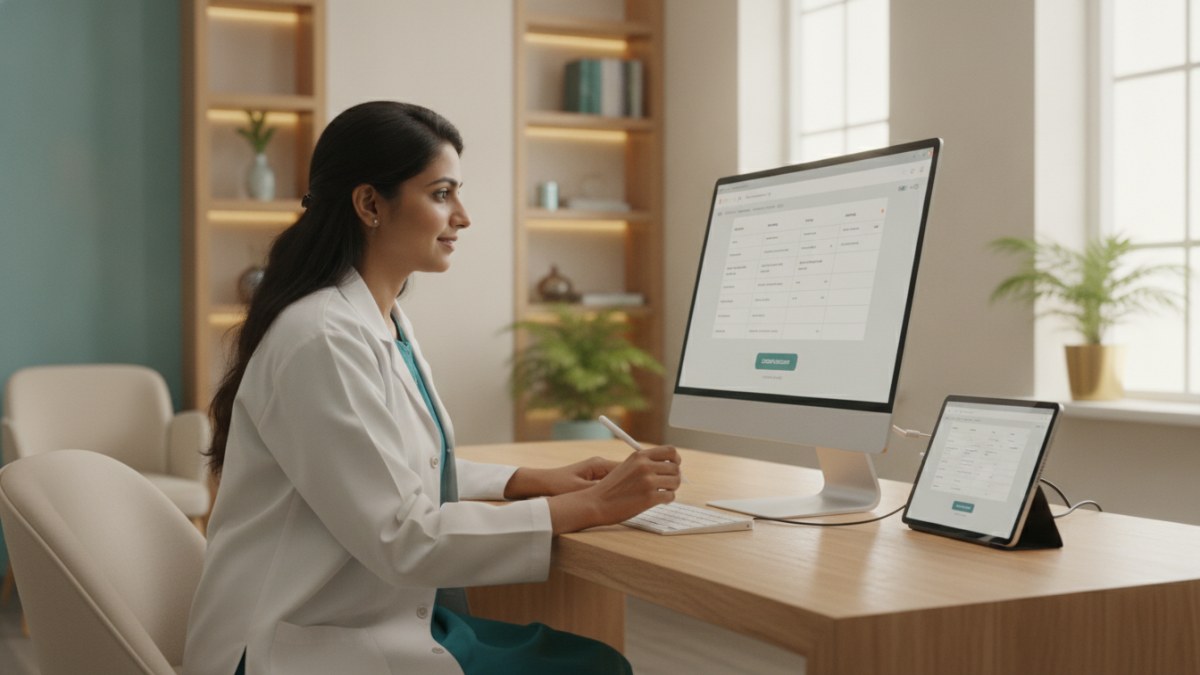
See patient records, consultation notes, digital prescriptions and follow-up features.
Doctors Details Patient Management Software (PMS) Kya Hai?
Doctors Details Patient Management Software (PMS) ek digital workspace hai jo doctors ko patient records, consultations, digital prescriptions, tests, reports aur follow-ups ko ek jagah manage karne mein help karta hai. Yeh aapke clinic ke daily workflow ko aasaan banata hai.
Introductory offer ke तहत, Doctors Details PMS doctors ke liye 1 saal tak free hai.
Apna PMS Workspace Kaise Set Up Karein?
Apne Doctors Details PMS workspace ko set up karna bahut simple hai. In steps ko follow karein:
- Apna Doctor Profile Register Ya Claim Karein: Sabse pehle, Doctors Details platform par apna doctor profile find karein ya register karein. Agar aapka profile pehle se listed hai, toh use claim karein.
- Profile Verify Karein: Apne profile ko claim karne ke baad, listed email ya WhatsApp contact ko verify karein. Yeh aapke workspace ki security ke liye zaroori hai.
- PMS Workspace Access Karein: Verification complete hone ke baad, aapko apne secure PMS workspace ka access mil jayega.
- Apna Clinical Master Set Up Karein:
- Diagnoses Add Karein: Aap apni specialty ke hisaab se diagnoses add kar sakte hain. Yeh aapko consultation ke dauran jaldi select karne mein help karega.
- Medicines Add Karein: Apni practice mein use hone wali medicines (generic, brand, strength, dosage form) ko add karein.
- Tests Add Karein: Jo investigations aur tests aap regularly advise karte hain, unhe apne master list mein shamil karein.
- Pehla Patient Add Karein: Ab aap apna pehla patient register kar sakte hain. Unki basic details enter karein aur unki consultation record karna shuru karein.
- Consultation Record Karein: Patient ki complaints, vitals aur clinical findings record karein. Digital prescription banayein, tests advise karein aur follow-up plan set karein.
PMS Ke Fayde:
- Patient History: Patient ki complete history, allergies aur previous visits ek jagah available rehti hain.
- Digital Prescriptions: Medicines, dose, frequency aur patient instructions ke saath clear digital prescriptions banayein.
- Tests aur Reports: Advised investigations, pending reports aur received reports ko track karein.
- Follow-up Planning: Har patient ke liye follow-up visits plan karein aur unhe track karein.
- Mobile aur Desktop Access: Aap apne PMS workspace ko mobile aur desktop dono par use kar sakte hain.
Is workflow ke supported features dekhein: Patient Management Software for doctors.
Explore doctor profiles and clinic details
Use these directory pages to check listed contact and clinic information. Confirm current fees and appointment availability with the clinic; these links are not endorsements.

General Physician · Hatpipliya
Dr. Vishnu Prasad Malviya
Contact clinic for availability.
क्लिनिक से संपर्क करें
देवास जिला · MBBS 2022
- General Consultation

Dental Surgeon · Bhopal
Dr. Mansi Chourasiya
Contact clinic for availability.
क्लिनिक से संपर्क करें
भोपाल · BDS 2022
- Dental Consultation

MBBS · General Physician · Jabalpur
Dr. Aditya Kumar
Contact clinic for availability.
क्लिनिक से संपर्क करें
कर्मेता, जबलपुर
- General Consultation
- Diabetes Care
- Blood Pressure Management
- Wound Dressing
Ophthalmologist - Gurgaon
Dr. Sanjeev Bisla
Contact the clinic for appointments.
- Cataract Surgery
- LASIK & Contoura Vision
- SMILE Eye Surgery
- Retina Treatment
- Glaucoma Care
- Cornea & Keratoconus Care
- Eye Examination
- Squint Treatment
See patient records, consultation notes, digital prescriptions and follow-up features.