Doctors PMS Mein Apne Diagnosis, Medicines, Aur Tests Ko Kaise Customize Karein?
DoctorsDetails PMS mein aap apne clinic ke liye diagnoses, medicines, aur tests ki list ko apni zaroorat ke hisaab se customize kar sakte hain. Apne…

1 views

See patient records, consultation notes, digital prescriptions and follow-up features.
PMS Mein Clinical Masters Ko Customize Karna Kyun Zaroori Hai?
Har doctor ka apna ek unique practice style hota hai. Patient Management Software (PMS) mein apne clinical masters (jaise diagnoses, medicines, aur tests) ko customize karne se aapka daily workflow aur bhi efficient ho jaata hai. Isse aap consultation ke dauran time bacha sakte hain aur patient care par zyada focus kar sakte hain.
DoctorsDetails PMS aapko yeh flexibility deta hai ki aap apni specialty aur practice ke hisaab se apni khud ki entries add kar sakein. Shuruat mein aapko specialty-relevant suggestions milenge, jismein aap apni commonly used diagnoses, medicines, aur investigations ko add kar sakte hain.
Apne Diagnosis, Medicine, Aur Test Masters Ko Kaise Customize Karein
DoctorsDetails Patient Management Software mein aap apne clinical masters ko aasani se manage kar sakte hain. Yahan kuch steps diye gaye hain:
- PMS Workspace Access Karein: Sabse pehle, DoctorsDetails par apna doctor profile register ya claim karein aur verification process complete karein. Iske baad aapko apne secure PMS workspace ka access mil jaayega.
- Clinical Masters Section Mein Jaayein: Apne PMS workspace mein login karne ke baad, aapko 'Clinical Masters' ya similar section mil jaayega jahan aap diagnoses, medicines, aur tests ko manage kar sakte hain.
- Diagnoses Add Karein:
- 'Diagnoses' section mein jaakar aap apni commonly use ki jaane wali bimariyon ki list bana sakte hain.
- Aap specialty-based suggestions se shuru kar sakte hain aur usmein apni khud ki entries add kar sakte hain.
- Har diagnosis ko save karein taaki future consultations mein aap use jaldi se select kar sakein.
- Medicines Customize Karein:
- 'Medicines' section mein aap generic, brand, strength, aur dosage form ke saath apni medicines ki library bana sakte hain.
- Aap medicines add kar sakte hain aur unke liye default dose, frequency, duration, food timing, quantity, aur patient instructions set kar sakte hain.
- Yeh aapko digital prescriptions banate waqt bahut madad karega.
- Tests Aur Investigations Manage Karein:
- 'Tests' ya 'Investigations' section mein aap un sabhi tests ki list bana sakte hain jo aap apni practice mein commonly advise karte hain.
- Isse aap consultation ke dauran jaldi se tests select kar paayenge aur unhe patient ke record mein add kar sakenge.
- Apne Changes Save Karein: Har naye entry ya customization ke baad, changes ko save karna na bhulein. Isse aapki customized list PMS mein update ho jaayegi.
Medical Representatives (MRs) Ke Liye Jankari
Medical representatives doctors ko DoctorsDetails PMS ke in customization features ke baare mein bata sakte hain. Doctors ko yeh samjhaayein ki kaise yeh system unke daily practice ko aur behtar bana sakta hai. Hamesha doctor ke samay aur preferences ka samman karein. Kisi bhi tarah ke anuchit prabhav ya uphaar (gifts) dene se bachein.
DoctorsDetails PMS ka introductory access doctors ke liye ek saal tak free hai. Is offer ka laabh uthakar doctors is system ko apni practice mein integrate kar sakte hain aur iske features ko explore kar sakte hain.
Is workflow ke supported features dekhein: Patient Management Software for doctors.
Explore doctor profiles and clinic details
Use these directory pages to check listed contact and clinic information. Confirm current fees and appointment availability with the clinic; these links are not endorsements.

MBBS · General Physician · Jabalpur
Dr. Aditya Kumar
Contact clinic for availability.
क्लिनिक से संपर्क करें
कर्मेता, जबलपुर
- General Consultation
- Diabetes Care
- Blood Pressure Management
- Wound Dressing
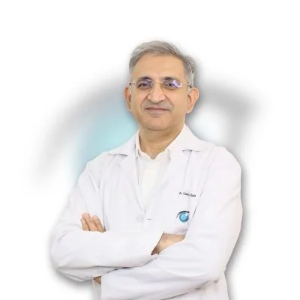
Ophthalmologist - Gurgaon
Dr. Sanjeev Bisla
Contact the clinic for appointments.
- Cataract Surgery
- LASIK & Contoura Vision
- SMILE Eye Surgery
- Retina Treatment
- Glaucoma Care
- Cornea & Keratoconus Care
- Eye Examination
- Squint Treatment


See patient records, consultation notes, digital prescriptions and follow-up features.