How Doctors Can Efficiently Track Pending Test Reports for Patient Follow-ups
Learn practical steps for doctors and clinic teams to manage pending test reports, ensuring timely patient follow-ups and organised care.

0 views
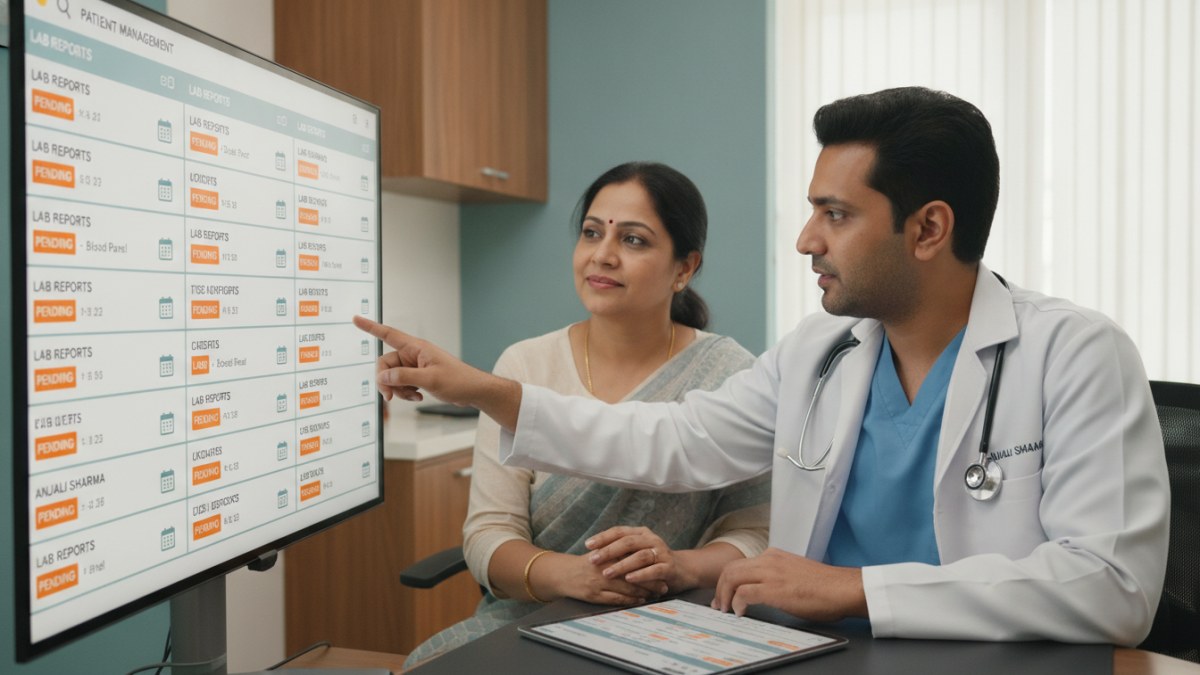
See patient records, consultation notes, digital prescriptions and follow-up features.
Managing Pending Test Reports for Timely Follow-ups
Tracking pending test reports is crucial for effective patient care and ensuring no follow-up is missed. An organised approach helps doctors and clinic teams maintain continuity of care and respond promptly to results.
- Maintain a Centralised Log: Keep a dedicated system, whether digital or physical, to record all advised investigations. Include patient name, test advised, date advised, and expected report arrival date.
- Regularly Review Pending Lists: Set aside specific times each day or week to review the list of pending reports. This helps identify overdue reports and allows for proactive follow-up with diagnostic centres or patients.
- Flag Urgent Reports: Clearly mark any reports that require immediate attention or have a short turnaround time. Prioritise these for quicker review upon arrival.
- Plan Follow-up Actions: For each pending report, note the intended next step – whether it's a call to the patient, a scheduled review appointment, or an internal discussion.
- Update Status Upon Receipt: As soon as a report is received, update its status in your log. This ensures the list accurately reflects current pending items and prevents unnecessary re-checks.
Simplify Report Tracking with Patient Management Software
A dedicated Patient Management Software (PMS) can significantly streamline the process of tracking pending test reports and managing patient follow-ups. It helps keep all relevant patient information in one secure, accessible workspace.
Key Features for Efficient Report Management
- Integrated Test Tracking: Advise investigations directly within the patient's digital record. The system automatically tracks tests as 'Pending', 'Report Received', or 'Completed'.
- Digital Report Uploads: Easily upload received reports directly to the patient's file, making them instantly accessible for review during follow-up consultations.
- Follow-up Planning: Link advised tests with planned follow-up dates. The software can help keep the next visit visible, ensuring continuity of care.
- Comprehensive Patient Records: Access patient history, allergies, clinical notes, and previous prescriptions alongside test reports, providing a complete picture for informed decisions.
- Mobile and Desktop Access: Manage patient records and track reports from your desk or on the move, offering flexibility for your practice.
DoctorsDetails offers Patient Management Software designed for doctors in India. This introductory offer provides free access for one year to doctors who join during the offer period, allowing you to manage patient registration, consultations, digital prescriptions, tests, reports, and follow-ups efficiently.
Explore the supported features for this workflow: Patient Management Software for doctors.
Explore doctor profiles and clinic details
Use these directory pages to check listed contact and clinic information. Confirm current fees and appointment availability with the clinic; these links are not endorsements.

Dental Surgeon · Bhopal
Dr. Mansi Chourasiya
Contact clinic for availability.
क्लिनिक से संपर्क करें
भोपाल · BDS 2022
- Dental Consultation

Ophthalmologist - Gurgaon
Dr. Sanjeev Bisla
Contact the clinic for appointments.
- Cataract Surgery
- LASIK & Contoura Vision
- SMILE Eye Surgery
- Retina Treatment
- Glaucoma Care
- Cornea & Keratoconus Care
- Eye Examination
- Squint Treatment

MBBS · General Physician · Jabalpur
Dr. Aditya Kumar
Contact clinic for availability.
क्लिनिक से संपर्क करें
कर्मेता, जबलपुर
- General Consultation
- Diabetes Care
- Blood Pressure Management
- Wound Dressing

See patient records, consultation notes, digital prescriptions and follow-up features.