Doctors: Patient Allergy History Aur Consultation Notes Kaise Manage Karein?
Jaaniye patient ki allergy history aur consultation notes ko asardaar tareeke se kaise manage karein. Apni practice mein patient care ko behtar banaayein.

12 views

See patient records, consultation notes, digital prescriptions and follow-up features.
Patient Allergy History Ko Kaise Track Karein?
Patient ki allergies ko track karna bahut important hai taaki kisi bhi adverse reaction se bacha ja sake. Iske liye aap in steps ko follow kar sakte hain:
- Patient Registration Ke Waqt Record Karein: Jab naya patient register ho, tab unki known allergies (jaise medicines, food, environment) ko systematically record karein.
- Har Consultation Mein Confirm Karein: Har follow-up ya naye visit par patient se unki allergies ke baare mein dobara poochhein. Kabhi-kabhi nayi allergy develop ho sakti hai ya patient ko pehle yaad na ho.
- Prominent Jagah Par Display Karein: Allergy information ko patient ke record mein aisi jagah par rakhein jahaan woh har consultation ke dauraan aasani se dikhe. Yeh ek 'red flag' ki tarah kaam karta hai.
- Details Record Karein: Sirf allergy ka naam nahi, balki usse hone wale reaction (jaise rash, swelling, breathing difficulty) ko bhi record karein.
Consultation Notes Ko Effective Kaise Banayein?
Achhe consultation notes future care ke liye foundation hote hain. Inhe maintain karne ke liye in baaton ka dhyaan rakhein:
- Clear Aur Concise Likhein: Notes ko saaf aur seedhe shabdon mein likhein. Zaroori information ko highlight karein.
- Structured Format Use Karein: Complaint, vitals, clinical findings, diagnosis aur advised next steps (jaise tests ya follow-up) ko ek structured format mein record karein.
- Patient Ke Words Mein Record Karein: Patient ki chief complaint ko unke apne shabdon mein record karna helpful ho sakta hai, saath hi clinical terms mein uska description bhi dein.
- Previous Visits Se Link Karein: Har naye consultation ko patient ki previous visit history se jodein taaki ek complete clinical timeline bani rahe.
- Important Observations Pin Karein: Kuch khaas observations ya instructions ko 'pinned notes' ki tarah mark karein taaki woh aasani se dikh sakein.
DoctorsDetails Patient Management Software Se Kaise Madad Milegi?
DoctorsDetails Patient Management Software (PMS) aapko patient ki allergy history aur consultation notes ko digital tareeke se manage karne mein madad karta hai. Isse aapka clinic workspace aur organized ho jaata hai.
PMS Ke Fayde:
- Patient History Aur Allergies: Aap patient ki allergy history ko unke record mein seedhe add kar sakte hain, jo har consultation ke saath dikhti rahegi.
- Clinical Timeline: Har visit ke notes, complaints, findings aur prescriptions ek hi jagah par milte hain, jisse patient ki poori clinical timeline bani rehti hai.
- Digital Consultation Notes: Aap complaints, vitals aur clinical findings ko digital roop mein record kar sakte hain.
- Custom Diagnoses Aur Tests: Aap apne specialty ke hisaab se diagnoses, tests aur medicines ko customize kar sakte hain.
- Mobile Aur Desktop Access: Aap apne patient records ko mobile ya desktop par kahin bhi access kar sakte hain.
DoctorsDetails PMS ka introductory access doctors ke liye ek saal tak free hai. Iske liye aapko DoctorsDetails par apna doctor profile register ya claim karna hoga aur verification process complete karna hoga.
Is workflow ke supported features dekhein: Patient Management Software for doctors.
Explore doctor profiles and clinic details
Use these directory pages to check listed contact and clinic information. Confirm current fees and appointment availability with the clinic; these links are not endorsements.
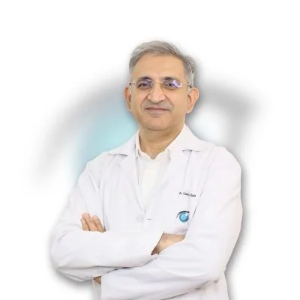
Ophthalmologist - Gurgaon
Dr. Sanjeev Bisla
Contact the clinic for appointments.
- Cataract Surgery
- LASIK & Contoura Vision
- SMILE Eye Surgery
- Retina Treatment
- Glaucoma Care
- Cornea & Keratoconus Care
- Eye Examination
- Squint Treatment
See patient records, consultation notes, digital prescriptions and follow-up features.