What the Verified Doctor Profile Badge Means
Learn what the DoctorsDetails Verified Profile Badge tells you, how to check doctor registration, and what to confirm with the clinic before booking.

3 views

When you search for a doctor online, the first decision is often about identity. Is this the doctor you meant to find, and is this the clinic where they actually see patients? DoctorsDetails lets you review available profile and clinic details in one place. Its Verified Profile Badge gives you one specific signal about who controls a listing.
What does the Verified Profile Badge tell you?
A green badge shows that the doctor or an authorized representative claimed the listing through a contact already associated with it. The clinic can then propose updates to details such as the address or consultation hours. DoctorsDetails reviews submitted changes before publication. Use the badge to understand how the profile is managed. Compare clinical credentials and current availability separately.
How to check the doctor and clinic before requesting an appointment
- Match the full name and specialty. Similar names can appear in the same city. Compare the full name, qualifications and specialty with the clinic or hospital's own listing.
- Use a registration source when you need to check credentials. For a doctor in modern medicine, look for a matching record in the National Medical Register or check with the relevant medical council. If the match is unclear, ask the clinic for the registration number and council name.
- Confirm the branch. A doctor may consult at more than one clinic. Confirm the exact address, date and fees with the branch you intend to visit.
For example, two profiles with the same surname and specialty can point to different facilities. Before choosing, ask the clinic to confirm the doctor's full name and the address in the same conversation. This is especially helpful when a hospital has more than one OPD location in your city.
What if the profile has no badge?
Check the clinic or hospital's own contact information and confirm the details directly. An unclaimed profile may still help you find a clinic. If a number or address looks wrong, send the profile link and the correction to DoctorsDetails support. The DoctorsDetails listing and verification policy explains how claims and corrections are handled.
Common questions before booking
Does the Verified Profile Badge confirm my appointment?
The clinic confirms your appointment separately. If the profile offers an appointment request form, send your preferred date and wait for the clinic to confirm.
Where can I compare clinics in my city?
Start in the DoctorsDetails directory. Select the city and specialty, then open the profiles to compare their available clinic details.
Explore doctor profiles and clinic details
Use these directory pages to check listed contact and clinic information. Confirm current fees and appointment availability with the clinic; these links are not endorsements.
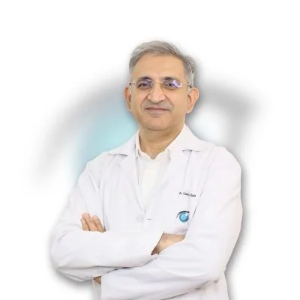
Ophthalmologist - Gurgaon
Dr. Sanjeev Bisla
Contact the clinic for appointments.
- Cataract Surgery
- LASIK & Contoura Vision
- SMILE Eye Surgery
- Retina Treatment
- Glaucoma Care
- Cornea & Keratoconus Care
- Eye Examination
- Squint Treatment

General Physician · Hatpipliya
Dr. Vishnu Prasad Malviya
Contact clinic for availability.
क्लिनिक से संपर्क करें
देवास जिला · MBBS 2022
- General Consultation

Dental Surgeon · Bhopal
Dr. Mansi Chourasiya
Contact clinic for availability.
क्लिनिक से संपर्क करें
भोपाल · BDS 2022
- Dental Consultation

MBBS · General Physician · Jabalpur
Dr. Aditya Kumar
Contact clinic for availability.
क्लिनिक से संपर्क करें
कर्मेता, जबलपुर
- General Consultation
- Diabetes Care
- Blood Pressure Management
- Wound Dressing
Browse doctor listings by city and specialization on DoctorsDetails.