AI Doctor Search: City or Near Me, and What to Check Next
Compare city and near-me doctor searches, check available clinic and profile details, and confirm appointment arrangements with the clinic.

5 views
Decide where you want to look
The phrase 'near me' and the name of a city answer slightly different questions. A city search is useful when you already know where you want an appointment, including a place you will visit later. A nearby search is useful when you want to explore available directory profiles around your current location. Choosing between them can make a list of doctors easier to understand.
The Doctors Details AI Search page supports city-based wording and nearby searches. You can begin with a speciality or doctor's name, then add the location context that matters to you. Neither choice guarantees that a clinic is open, that a doctor has an available appointment or that a listed professional is the right clinical match for every concern.
Before searching, think about your practical destination: where you can attend, whether you know the speciality and whether you are looking for a particular person. Those choices make the query more deliberate. You can revise the location later without treating the first list as a final decision. The steps below explain what each location approach can tell you and what it cannot establish on its own.
Use a city when your destination is already known
Enter a city when you are arranging care near your home, workplace or a planned destination. For example, a person travelling to Indore next week may want to search that city even while browsing from another location. Selecting the city deliberately avoids making the current position of the phone the centre of the search.
Read the location shown in the form before submitting. If you change your destination, update the city and the wording together so the request stays clear. After results appear, check the clinic address inside each profile. A city can contain many areas, and a clinic across town may have a different travel requirement from a clinic near your destination. The city is a useful first filter; it is not a substitute for checking the actual address.
Understand what a near-me search needs
When you use 'near me', the browser may ask permission to access your location. Decide whether you want to share that location for the search. If you allow access, the feature can use the position available to the browser to help show nearby profiles with distance. Location accuracy can vary with your device, browser settings and network conditions.
If you do not want to allow location access, choose a city instead. If access was denied earlier, repeatedly submitting the same words may not change the browser permission. You can continue with a named place and inspect the addresses yourself. Where a distance is displayed, use it as a browsing aid. It is not a promise of travel time, a live traffic estimate or confirmation of the exact route to a clinic.
Review three practical details on every shortlist
Once the search returns profiles, compare the speciality, the clinic location and the available appointment information. Those three checks help turn a broad list into a manageable set of options. Open the full profile rather than relying only on a name or a brief search card. Read qualifications and other details when they are supplied, and note which information still needs confirmation.
You can make a simple personal checklist: does the profile match the type of professional you intended to find, can you reasonably reach the listed clinic, and how should you ask about a visit? Treat missing information as a question for the clinic. Do not infer fees, hours, accessibility or services from an image, an address alone or the position of a profile in the result list.
Confirm a visit before you travel
A directory helps with discovery, while the clinic confirms the arrangements for a visit. Check the available contact or appointment-request options on the profile. Ask about current clinic timings, consultation fees and appointment availability before travelling. If you send an appointment request, wait for the clinic's confirmation rather than assuming the request has reserved a time.
Keep a note of the doctor and clinic you contacted so that you can distinguish a response from several different enquiries. If you need to change your plans, confirm the change with the clinic. The AI Search feature does not replace that conversation. Its role is to reduce the effort of finding relevant directory information, leaving the clinical assessment and appointment arrangements with the appropriate professionals and their clinic teams.
Change one part of the search at a time
If the results are too broad, make one useful adjustment: specify a speciality, add the city or search a doctor's name more precisely. Changing all the details at once can make it harder to see why the result changed. If there are no matches, check the spelling and location, then try browsing the doctor directory as another route to the available profiles.
Return to AI Doctor Search when you are ready to try a different location approach. A city search offers deliberate destination control; a nearby search adds the current browser location when you allow it. In either case, read the profile, confirm practical details and use professional advice for clinical decisions. The search becomes useful when it supports that clear sequence, rather than when it produces the longest possible list.
Frequently asked questions
Must I share my location to search?
No. You can choose a city or include a city in your search instead of allowing browser location access.
Is the nearest profile automatically the right choice?
No. Compare speciality, available profile information and practical clinic details. Distance alone is not a clinical recommendation.
What should I do if no profiles appear?
Check the query and city, try a more precise name or speciality, or browse the directory. An empty result reflects available search data, not a diagnosis or a complete list of local practitioners.
Explore doctor profiles and clinic details
Use these directory pages to check listed contact and clinic information. Confirm current fees and appointment availability with the clinic; these links are not endorsements.

General Physician · Hatpipliya
Dr. Vishnu Prasad Malviya
Contact clinic for availability.
क्लिनिक से संपर्क करें
देवास जिला · MBBS 2022
- General Consultation
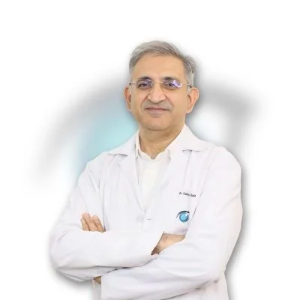
Ophthalmologist - Gurgaon
Dr. Sanjeev Bisla
Contact the clinic for appointments.
- Cataract Surgery
- LASIK & Contoura Vision
- SMILE Eye Surgery
- Retina Treatment
- Glaucoma Care
- Cornea & Keratoconus Care
- Eye Examination
- Squint Treatment

MBBS · General Physician · Jabalpur
Dr. Aditya Kumar
Contact clinic for availability.
क्लिनिक से संपर्क करें
कर्मेता, जबलपुर
- General Consultation
- Diabetes Care
- Blood Pressure Management
- Wound Dressing

Browse doctor listings by city and specialization on Doctors Details.