Patient Management Software for Digital Prescriptions
Create and print digital prescriptions with Doctors Details PMS. Review patient history, select medicines and edit dose, duration and instructions.

9 views
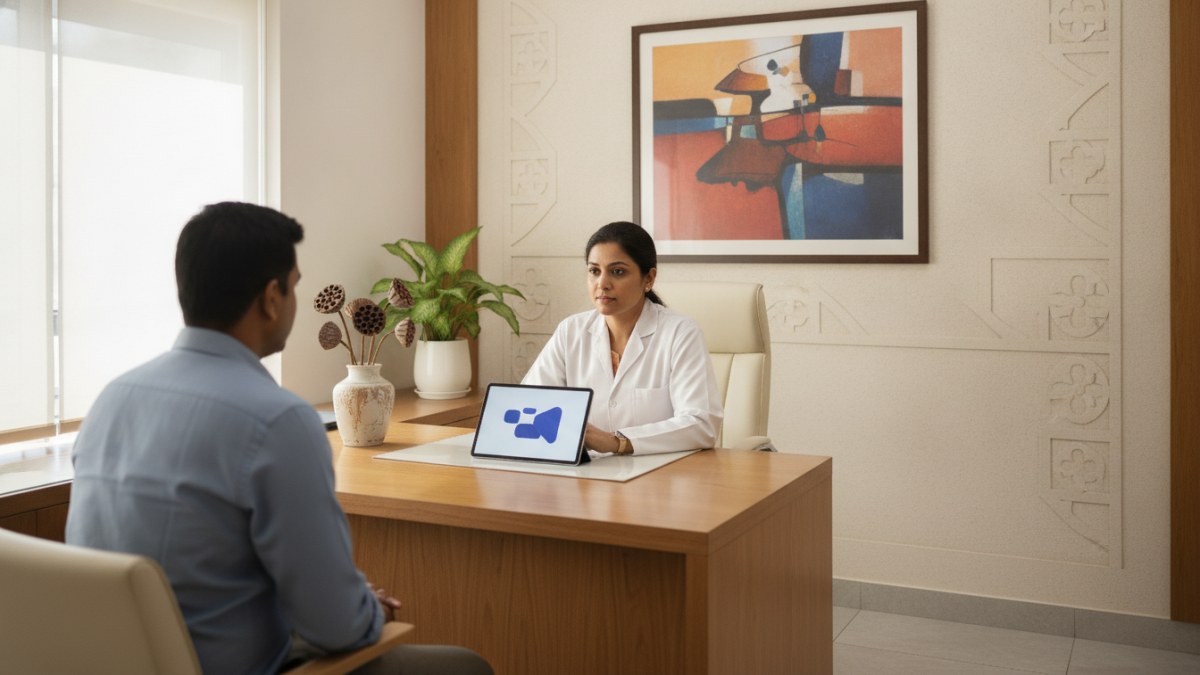
Transforming Clinic Management in the Digital Age
In today's fast-paced healthcare environment, managing patient records, consultations, and prescriptions can often feel overwhelming due to the sheer volume of paperwork. For doctors across India, the challenge is to provide quality care while maintaining an organised and efficient practice. This is where Doctors Details Patient Management Software (PMS) steps in, offering a robust solution to bring your entire clinical workflow into a single, digital workspace.
Designed to simplify your day-to-day operations, our PMS helps you move beyond traditional methods. From patient registration to follow-up visits, and especially in creating digital prescriptions, this software aims to reduce administrative burden and enhance the overall patient care experience. Imagine a system where every patient detail is connected, accessible, and easily manageable – that's the promise of a well-integrated patient management system.
The Power of Digital Prescriptions: Precision and Personalisation
One of the most impactful features of Doctors Details PMS is its capability for digital prescriptions. Gone are the days of deciphering handwritten notes; now you can create clear, legible prescriptions with ease. The software allows you to select medicines directly from your own customisable 'medicine master' – a library of drugs you frequently prescribe.
What truly sets this feature apart is the level of customisation available. After selecting a medicine, you can precisely edit every instruction for the patient. This includes:
- Dose and Frequency: Specify exactly how much and how often the medicine should be taken.
- Duration: Clearly state the number of days or weeks for the course of treatment.
- Food Timing: Indicate whether the medicine should be taken before, with, or after food.
- Quantity: Define the total amount of medicine to be dispensed.
- Patient Instructions: Add any specific advice or warnings tailored to the individual patient, ensuring they understand their medication regimen fully.
Once completed, these digital prescriptions can be printed for the patient or saved as a PDF, providing a clear and professional record for both you and your patients.
Your Clinical Masters: Customising for Your Speciality
Every doctor has a unique practice and a specific set of diagnoses, tests, and medicines they use most often. Doctors Details PMS recognises this by allowing you to create and manage your own 'clinical masters'. This means you can build a personalised library of:
- Custom Diagnoses: Add the conditions you frequently encounter in your specialty.
- Preferred Tests: List the investigations you commonly advise.
- Go-to Medicines: Compile your frequently prescribed medications.
This customisation streamlines your consultation process significantly. Instead of typing out details repeatedly, you can quickly select from your pre-defined masters, saving valuable time during each patient visit. The system also offers specialty-relevant suggestions to help you get started, making the setup process intuitive and efficient.
A Connected Care Journey: Every Detail at Your Fingertips
The core of effective patient management lies in having a complete and accessible patient record. Doctors Details PMS ensures that every piece of information related to a patient is connected and available within a single workspace. This includes:
- Patient Overview: A snapshot of essential patient details.
- Visit History: Every consultation adds to the same comprehensive record, allowing you to review past interactions effortlessly.
- Important Alerts: Critical information, such as allergies or chronic conditions, stays visible alongside the consultation notes.
- Clinical Notes: Detailed findings and observations from each visit.
- Previous Prescriptions: A digital archive of all past medications advised.
From the first complaint to follow-up visits and subsequent care, the PMS keeps the details that matter together. This connected approach ensures continuity of care, allowing you to make informed decisions with the full picture of your patient's health journey. The workspace is also responsive, meaning you can access these records seamlessly on both your desktop and mobile devices.
Beyond Prescriptions: Comprehensive Patient Tracking
While digital prescriptions are a cornerstone, Doctors Details PMS extends its utility to other crucial aspects of patient care. The software helps you track and manage:
- Advised Investigations: Keep a record of all tests recommended for a patient.
- Uploaded Reports: Easily attach and store patient test reports and other clinical documents digitally.
- Follow-up Plans: Schedule and track future appointments and review progress with previous notes.
This integrated approach means you can switch between clinical details, prescriptions, and tests without losing your entries or needing to navigate separate systems. It's designed to bring the everyday clinical workflow into one clear clinic workspace, from patient registration and consultation to reports and the next follow-up, ultimately leading to more focused care and less time spent on administrative tasks.
Getting Started with Doctors Details Patient Management Software
Accessing the benefits of Doctors Details Patient Management Software is a straightforward process. To begin, you will need to either register a new doctor profile on Doctors Details or claim an existing one. Once your profile is verified, you can activate your secure PMS workspace.
We understand the importance of trying a new system before committing. That's why, during the introductory offer, doctors who join can use Doctors Details PMS free for 1 year. There is no payment collected to start using the PMS during this offer, allowing you to experience its full capabilities without any initial financial commitment. Details regarding continuation and pricing will be shared before your free year concludes.
Embrace a Smarter Way to Practice
Doctors Details Patient Management Software is built to empower doctors in India with a more organised, efficient, and connected way to manage their practice. By centralising patient records, streamlining digital prescriptions, and offering customisable clinical tools, it allows you to focus more on patient care and less on administrative overhead. Take the step towards a more digital and integrated clinic workspace today.
Frequently asked questions
Is Doctors Details Patient Management Software free?
Yes, doctors who join during the introductory period can use Doctors Details PMS free for 1 year. No payment is collected to start using the PMS during this offer.
What exactly is patient management software?
Patient management software helps a doctor keep patient registration, visit history, clinical notes, prescriptions, tests, and follow-up plans together in a digital workspace.
How can I access the Doctors Details PMS?
A doctor must register or claim an existing Doctors Details profile and complete profile verification before opening the secure PMS workspace.
Can I customise my own clinical masters for diagnoses and medicines?
Yes, specialty-based suggestions help doctors get started, and each doctor can create and manage their own clinical masters for diagnoses, tests, medicines, and follow-up settings.
Can I edit and print digital prescriptions using the software?
Yes, doctors can add medicines with dose, frequency, duration, food timing, quantity, and patient instructions, then print the completed prescription or save it as a PDF.
Explore doctor profiles and clinic details
Use these directory pages to check listed contact and clinic information. Confirm current fees and appointment availability with the clinic; these links are not endorsements.

MBBS · General Physician · Jabalpur
Dr. Aditya Kumar
Contact clinic for availability.
क्लिनिक से संपर्क करें
कर्मेता, जबलपुर
- General Consultation
- Diabetes Care
- Blood Pressure Management
- Wound Dressing
Ophthalmologist - Gurgaon
Dr. Sanjeev Bisla
Contact the clinic for appointments.
- Cataract Surgery
- LASIK & Contoura Vision
- SMILE Eye Surgery
- Retina Treatment
- Glaucoma Care
- Cornea & Keratoconus Care
- Eye Examination
- Squint Treatment


Browse doctor listings by city and specialization on Doctors Details.