Doctor Blog Banners: Upload Images or Choose an AI Option
Prepare a clear banner for your doctor blog. Upload an image or use up to three AI generations, choose one option and submit the article for admin review.

17 views

Enhancing Your Health Articles with Visuals on Doctors Details
In today's digital age, visual content plays a crucial role in capturing attention and conveying information effectively. For doctors publishing educational health articles on DoctorsDetails.com, incorporating suitable images and compelling banners can significantly enhance readability and engagement. A well-chosen visual can break down complex medical information, make your article more inviting, and help patients in India better understand the health topics you're discussing. This guide will walk you through the process of uploading your own images and utilising the AI banner choices available on Doctors Details, ensuring your valuable insights reach a wider audience with clarity and impact.
We understand that as a medical professional, your primary focus is on patient care and sharing accurate health knowledge. That's why Doctors Details provides straightforward tools to help you present your articles visually, without requiring extensive design expertise. By following these steps, you can ensure your published content is not only informative but also visually appealing and easy to digest for patients across India.
Uploading Suitable Images for Your Articles
When preparing your article for publication on Doctors Details, you have the option to upload your own images to complement your text. These images can be diagrams, charts, relevant medical illustrations, or even professional photographs that support your article's content. The key is to select images that are clear, relevant, and easy for a general audience to understand. Here’s how to approach uploading your visuals:
- Relevance is Key: Ensure every image directly relates to the topic being discussed in your article. An image should clarify a point, illustrate a concept, or provide a visual example, rather than simply decorating the page.
- Clarity and Quality: Choose images that are high-resolution and free from blurriness or pixelation. Clear visuals reflect professionalism and make your content more trustworthy.
- Patient Understanding: Consider your audience. While you are an expert, your readers may not be. Select images that simplify complex ideas rather than adding more jargon. For instance, a simple diagram explaining a bodily function might be more suitable than a highly technical surgical photograph.
- File formats and size: Upload a JPG, PNG or WebP file up to 8 MB. The banner is cropped to 16:9; keep important subjects away from the edges and check its preview before submitting.
Use the banner upload field in the article editor. This upload becomes the article banner; it is not an inline image insertion feature for the full article.
Exploring Doctors Details' AI Banner Choices
A clear banner helps readers recognise the subject of an article in the blog list. Doctors Details lets you upload your own banner or generate an AI option. If you want another choice, you can generate again, up to three times for the same article across creation and edits combined.
The generation limit counts attempts across the life of the article. Review each available image before choosing whether another generation is useful:
- First generation: Check relevance, visual clarity and whether any illustrated medical scene could confuse a reader. You can select this image without generating more.
- Another choice: If attempts remain, generate another banner and compare it with previous options. Image styles are not fixed to particular attempt numbers.
- Choose one: Select one available banner for the article. Once all three AI generations have been used, choose from the generated options or upload an appropriate image.
These AI-generated options are a convenient way to create an engaging banner without needing to source or design one yourself. They provide a professional finish, helping your article stand out to potential readers.
Selecting the Right AI Banner for Admin Review
Review the generated options you have chosen to create, then select the image that fits your article. You do not need to use all three attempts. Consider these checks before selecting:
- Match the Article's Tone: Consider whether your article is serious and informative, reassuring and empathetic, or perhaps more educational and illustrative. Choose a banner that visually reflects this tone.
- Clarity of Message: Does the banner clearly hint at the article's topic? Even without reading the title, a good banner should give a general idea of what the article is about.
- Target Audience Appeal: Think about who you want to reach. Will this banner resonate with patients seeking information on this particular health topic? Is it culturally appropriate and easy to understand for an Indian audience?
- Visual Impact: While all options are professionally generated, one might simply have a stronger visual impact or be more aesthetically pleasing to you. Trust your judgment on what looks most appealing and professional.
After selecting a banner and completing the content, use Send for admin review. Choosing a banner alone does not publish the article. Admin approval is required before the article is public.
Tips for Effective Visuals in Your Health Articles
Beyond the technical aspects of uploading and selecting, here are some general tips to ensure your article's visuals are truly effective:
- Keep it Simple: Overly complex images can confuse rather than clarify. Aim for visuals that convey one main idea clearly.
- Cultural Sensitivity: When choosing or creating images, be mindful of cultural nuances relevant to India. Ensure the visuals are respectful and relatable to a diverse Indian audience.
- Complement, Don't Replace: Images should complement your text, not replace it. The article should still be fully understandable even if a reader cannot see the images.
- Consistency: While not always possible, try to maintain a consistent visual style across your articles if you have a personal preference. This can help build your visual brand on the platform.
- Focus on Education: Remember the primary goal is to educate. Every visual element should contribute to this goal, making health information more accessible and engaging for patients.
By thoughtfully integrating suitable images and selecting an appropriate AI banner, you can significantly elevate the quality and reach of your educational health articles on Doctors Details.
Conclusion: Elevating Your Content on Doctors Details
Utilising the image upload and AI banner choice features on DoctorsDetails.com empowers you to create more engaging and visually appealing health articles. By carefully selecting suitable images that clarify your points and choosing an AI-generated banner that accurately represents your content, you can enhance the overall impact of your valuable medical insights.
These tools are designed to streamline the content creation process for doctors, allowing you to focus on sharing your expertise while ensuring your articles are presented professionally and attractively. Remember, a clear and relevant visual can significantly improve patient understanding and trust in the information you provide. We encourage you to explore these features and see how they can help your articles resonate more deeply with patients across India.
Frequently asked questions
What kind of images are considered suitable for my health articles?
Suitable images are clear, high-resolution, directly relevant to your article's content, and easy for a general patient audience to understand. They should clarify concepts or provide visual examples without being overly technical or confusing.
How do the three AI banner options differ from each other?
There are up to three AI generation attempts per article, across creation and edits combined. Each can produce a different image, but no fixed illustration, photo or graphic style is promised. Choose one available option.
What should I consider when choosing an AI banner for my article?
When choosing an AI banner, consider its relevance to your article's topic, its visual clarity, whether it matches the article's tone, and its appeal to your target audience. The banner should give a good first impression of your content.
What happens after I select an AI banner or upload my own image?
Complete the article and select Send for admin review. The article becomes public after approval. Published articles are read-only in My blogs; contact support if a correction is needed.
Explore doctor profiles and clinic details
Use these directory pages to check listed contact and clinic information. Confirm current fees and appointment availability with the clinic; these links are not endorsements.

General Physician · Hatpipliya
Dr. Vishnu Prasad Malviya
Contact clinic for availability.
क्लिनिक से संपर्क करें
देवास जिला · MBBS 2022
- General Consultation
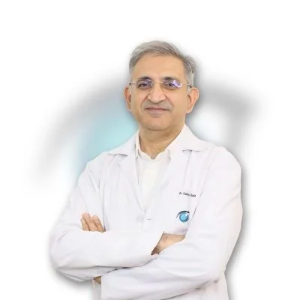
Ophthalmologist - Gurgaon
Dr. Sanjeev Bisla
Contact the clinic for appointments.
- Cataract Surgery
- LASIK & Contoura Vision
- SMILE Eye Surgery
- Retina Treatment
- Glaucoma Care
- Cornea & Keratoconus Care
- Eye Examination
- Squint Treatment
Dental Surgeon · Bhopal
Dr. Mansi Chourasiya
Contact clinic for availability.
क्लिनिक से संपर्क करें
भोपाल · BDS 2022
- Dental Consultation

MBBS · General Physician · Jabalpur
Dr. Aditya Kumar
Contact clinic for availability.
क्लिनिक से संपर्क करें
कर्मेता, जबलपुर
- General Consultation
- Diabetes Care
- Blood Pressure Management
- Wound Dressing
Browse doctor listings by city and specialization on Doctors Details.