AI Doctor Search in Hindi and English on Doctors Details
Use Hindi, English or Hinglish to search for doctors on Doctors Details. Learn to add your city, review suggested specialties and check clinic details.

7 views

Finding a Doctor Just Got Simpler: Introducing AI Doctor Search on DoctorsDetails.com
In today's fast-paced world, finding the right doctor when you need one can often feel like a challenge. You might be worried about a health concern, but unsure which specialist to consult, or perhaps you're looking for a specific doctor in your area. This is where DoctorsDetails.com steps in with its innovative AI Doctor Search feature, designed to make your search experience as smooth and intuitive as possible, especially for patients across India.
Our AI Doctor Search understands your needs, whether you describe them in Hindi, English, or even a mix of both. It's built to help you find relevant doctor profiles and specializations quickly, allowing you to focus on what matters most: your health. Let's explore how this smart tool works and how you can use it effectively to connect with healthcare professionals near you.
Speak Your Mind: Search in Hindi, English, or Hinglish
One of the most significant advantages of DoctorsDetails.com's AI Doctor Search is its language flexibility. We understand that in India, people communicate in a variety of languages, and often, a blend of them. That's why our search allows you to describe your concern, enter a doctor's name, or specify a specialization using:
- Hindi: Feel comfortable typing your symptoms or needs in Hindi, just as you would speak them.
- English: For those who prefer English, the search works seamlessly.
- Hinglish: A common blend of Hindi and English, Hinglish is also fully supported, making it incredibly natural to use.
This means you don't need to struggle with medical jargon or translate your thoughts into a specific language. Simply tell us what you need in your own words, and our AI will help guide you.
Locate Your Doctor: City and 'Near Me' Search Options
Finding a doctor close to home or work is often a top priority. DoctorsDetails.com's AI Doctor Search offers practical location-based search capabilities:
- Search by City: If you know the city where you want to find a doctor, simply include it in your search query. For example, you could type, "पेट में दर्द दिल्ली" (stomach pain Delhi) or "child fever Mumbai". The AI will then show you matching doctor profiles within that specific city.
- Search 'Near Me': For an even more convenient option, you can use the phrase "near me" in your search. When you do this, the system might ask for your browser's location access. Allowing this will enable the AI to show you doctors in your immediate vicinity, along with their distance from your current location. This is particularly helpful when you're in an unfamiliar area or need urgent care close by.
This dual approach ensures you can find a doctor precisely where you need them, whether it's in a specific urban centre or just around the corner.
Smart Matching: From Concern to Specialist Category
You don't always know the exact medical term for your condition, and that's perfectly fine. Our AI Doctor Search is designed to understand your everyday language and match it to relevant doctor categories. For instance:
- If you type "आँखों में जलन" (burning in eyes), the AI can suggest ophthalmologists or eye specialists.
- If you search for "बच्चे को बुखार है" (child has fever), it will likely point you towards paediatricians.
- A query like "skin rash" could lead you to dermatologists.
It's important to remember that while the AI helps you find appropriate doctor categories and profiles, it does not provide a diagnosis, prescription, or treatment. Its role is to connect you with the right type of medical professional who can then offer expert advice and care.
Practical Search Examples for Indian Patients
Let's look at some real-world examples of how you can use the AI Doctor Search:
- For a general concern in your city:"पेट में दर्द है दिल्ली" (Stomach pain Delhi)"बुखार के डॉक्टर मुंबई" (Fever doctor Mumbai)"child specialist Bangalore"
- When you need a doctor nearby:"दांत का डॉक्टर near me" (Dentist near me)"skin specialist near me""हड्डी रोग विशेषज्ञ near me" (Orthopaedic specialist near me)
- Searching for a specific specialization:"cardiologist Pune""neurologist Hyderabad""स्त्री रोग विशेषज्ञ चेन्नई" (Gynaecologist Chennai)
- If you know a doctor's name:"Dr. Sharma Pune""डॉ. गुप्ता दिल्ली" (Dr. Gupta Delhi)
These examples show how flexible and user-friendly the search is, adapting to your specific needs and preferred language.
Reviewing Your Matches and Next Steps
Once you've entered your query, DoctorsDetails.com will present you with matching doctor profiles. Here’s what to do next:
- Explore Suggested Specialties: The search results will often highlight the suggested specialty based on your concern. This helps confirm if the AI has understood your need correctly.
- Review Doctor Details: Click on individual doctor profiles to see more information. This typically includes their specialization, clinic address, and other relevant details.
- Check Clinic Information: Look for details about the clinic, such as its location and possibly operating hours.
- Explore Appointment Options: Some profiles may offer information on how to book an appointment, whether it's through a contact number or an online booking feature.
Remember, the goal is to find a qualified doctor who can provide a proper consultation. Always review the details carefully before deciding to visit or contact a doctor.
Your Health, Simplified with DoctorsDetails.com
DoctorsDetails.com's AI Doctor Search is designed to be a practical and accessible tool for Indian patients. By supporting Hindi, English, and Hinglish, and offering robust location-based searches, we aim to remove the guesswork from finding a doctor. Whether you're searching for a specialist by name, by concern, or simply need someone nearby, our AI is here to streamline your journey. We encourage you to try it out and experience the ease of connecting with the right healthcare professional for your needs.
Frequently asked questions
What languages can I use for AI Doctor Search on DoctorsDetails.com?
You can use Hindi, English, or Hinglish (a mix of Hindi and English) to describe your concern, enter a doctor's name, or specify a specialization.
Can I find doctors near my current location?
Yes, you can search using the phrase "near me." The system may ask for browser location access to show you doctors in your immediate vicinity with distance information.
Does the AI Doctor Search provide a diagnosis or treatment?
No, the AI Doctor Search helps you find relevant doctor categories and profiles. It does not provide a diagnosis, prescription, or treatment. You should always consult a qualified doctor for medical advice.
How do I search for a doctor in a specific city?
Simply include the city name in your search query, for example, "पेट में दर्द दिल्ली" (stomach pain Delhi) or "child specialist Bangalore."
What kind of information can I find in the search results?
You can review suggested specialties, available doctor details, clinic information, and explore appointment options within the doctor profiles.
Explore doctor profiles and clinic details
Use these directory pages to check listed contact and clinic information. Confirm current fees and appointment availability with the clinic; these links are not endorsements.

General Physician · Hatpipliya
Dr. Vishnu Prasad Malviya
Contact clinic for availability.
क्लिनिक से संपर्क करें
देवास जिला · MBBS 2022
- General Consultation
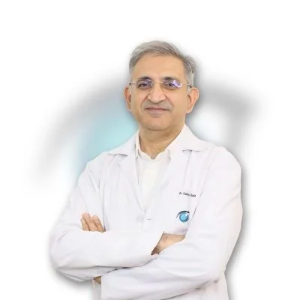
Ophthalmologist - Gurgaon
Dr. Sanjeev Bisla
Contact the clinic for appointments.
- Cataract Surgery
- LASIK & Contoura Vision
- SMILE Eye Surgery
- Retina Treatment
- Glaucoma Care
- Cornea & Keratoconus Care
- Eye Examination
- Squint Treatment

Dental Surgeon · Bhopal
Dr. Mansi Chourasiya
Contact clinic for availability.
क्लिनिक से संपर्क करें
भोपाल · BDS 2022
- Dental Consultation

MBBS · General Physician · Jabalpur
Dr. Aditya Kumar
Contact clinic for availability.
क्लिनिक से संपर्क करें
कर्मेता, जबलपुर
- General Consultation
- Diabetes Care
- Blood Pressure Management
- Wound Dressing
Browse doctor listings by city and specialization on Doctors Details.