Bring your clinic online. One clear step at a time.
Your profile, your clinic details, your first ad. Follow this visual walkthrough to register on DoctorsDetails and prepare one free clinic ad for three months.
Keep this guide open beside the form. Tap any screenshot to enlarge it.
01
STEP 1 OF 7
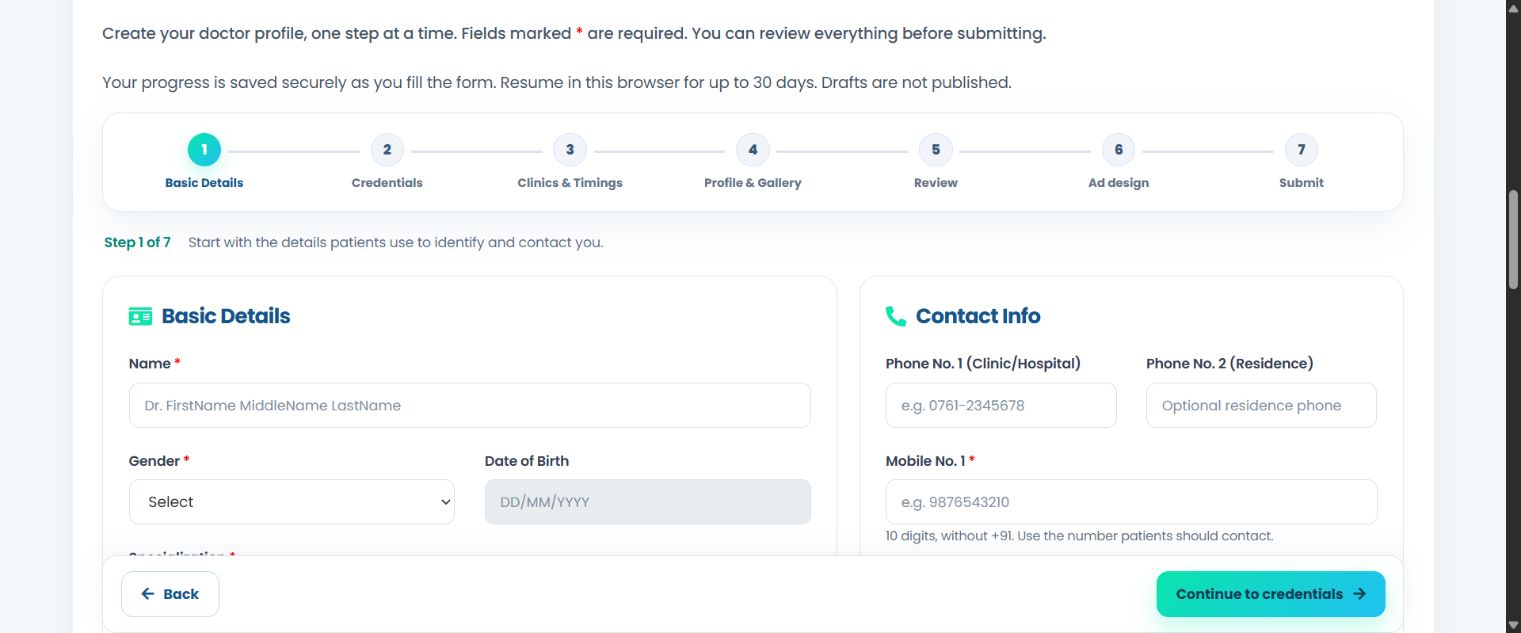
Start with your name and contact details
Open Doctor Registration and select Register my clinic. Enter the name patients should see, gender, specialty, working role and management type. Add a clear professional photo.
Enter a mobile number you control: 10 digits, without +91. Add a working email address.
Choose Check profiles. If your own listing appears, use the claim route instead of creating a duplicate. A shared clinic number may belong to more than one doctor; check the name carefully.
Create and confirm your PMS login password with at least 8 characters. Keep it private.
WhatsApp offers and updates are optional. Select only the numbers where you want those messages.
Click Continue to credentials. If a field is highlighted, correct it before moving on.
02
STEP 2 OF 7
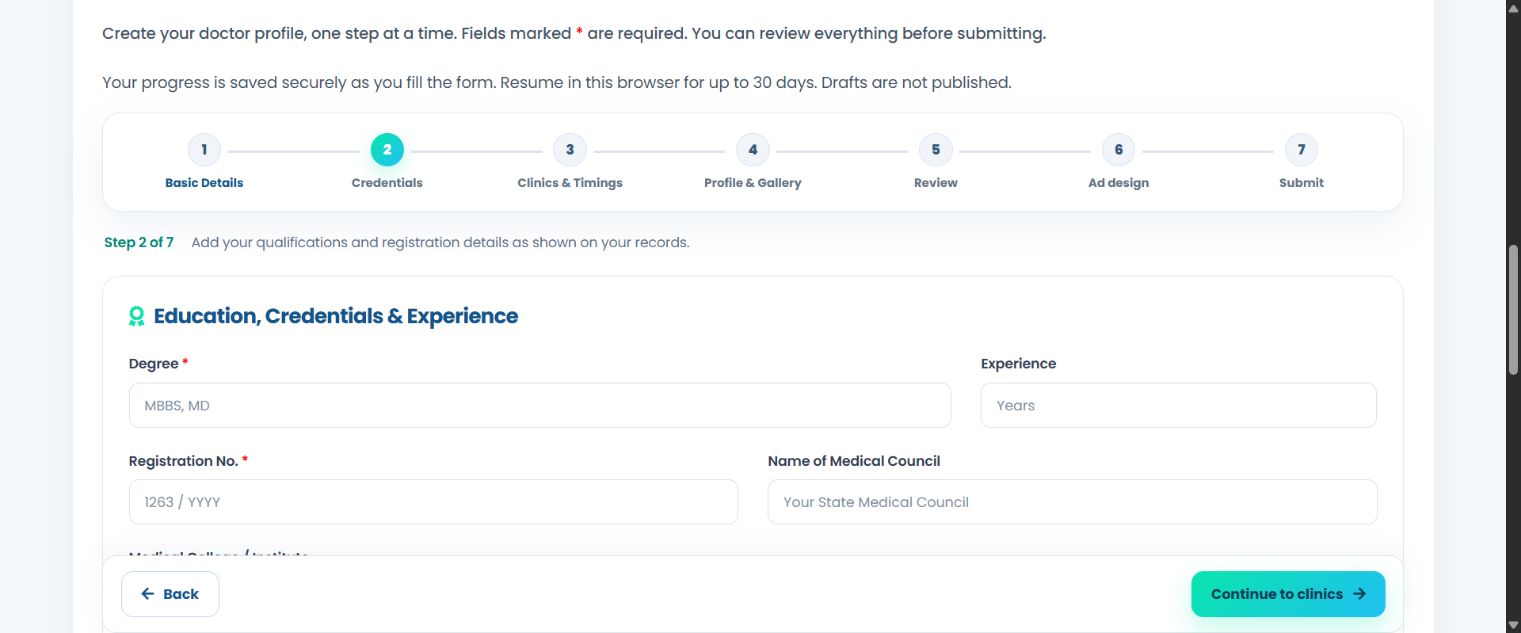
Add your professional credentials
Enter your actual Degree and Registration No., then add experience, medical council and college details where applicable.
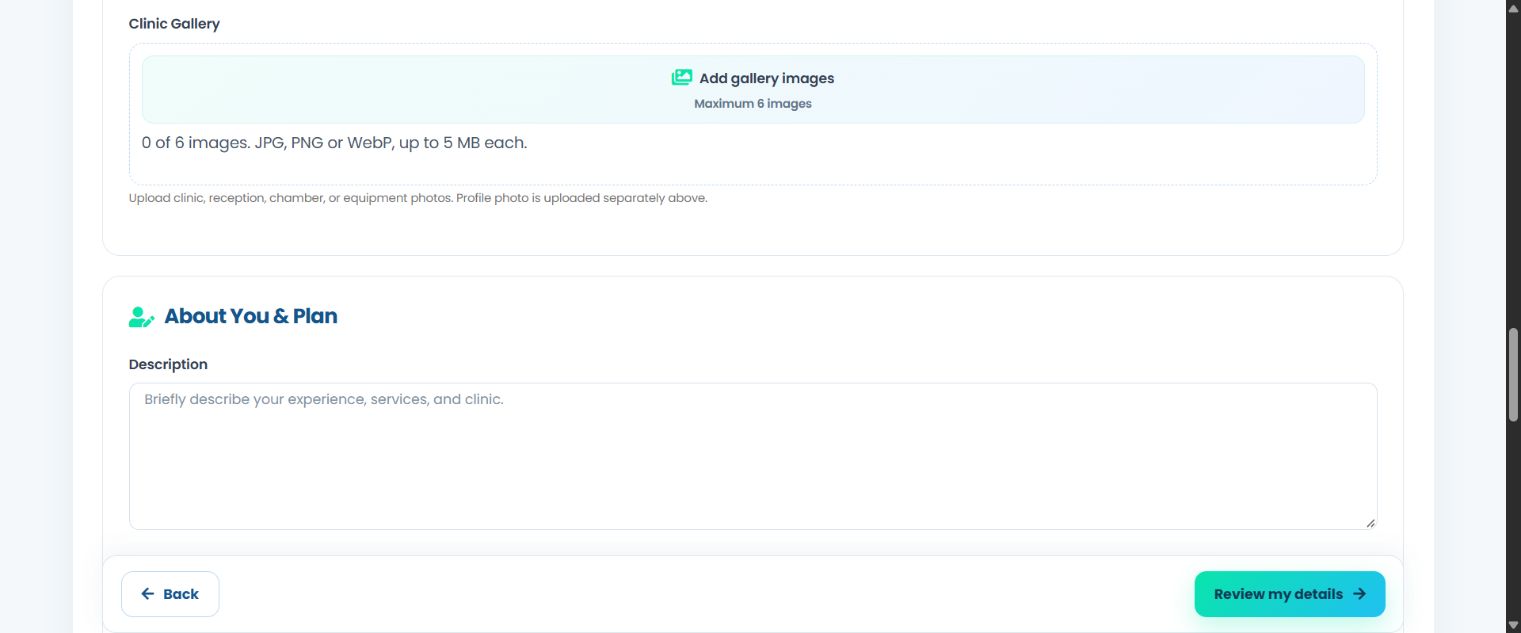
You can add up to six gallery images: JPG, PNG or WebP, up to 5 MB each.
Choose Free Plan (₹0) if you want the free listing. Review any paid plan separately before selecting it.
Read the Terms & Conditions and accept them if you agree.
Select Review my details. Use the edit options to correct your contact, credentials, address and timings before setting up your ad.
Only upload photos you have permission to use. Avoid patient information in clinic photos.
05
STEP 5 OF 7
Choose one free ad format
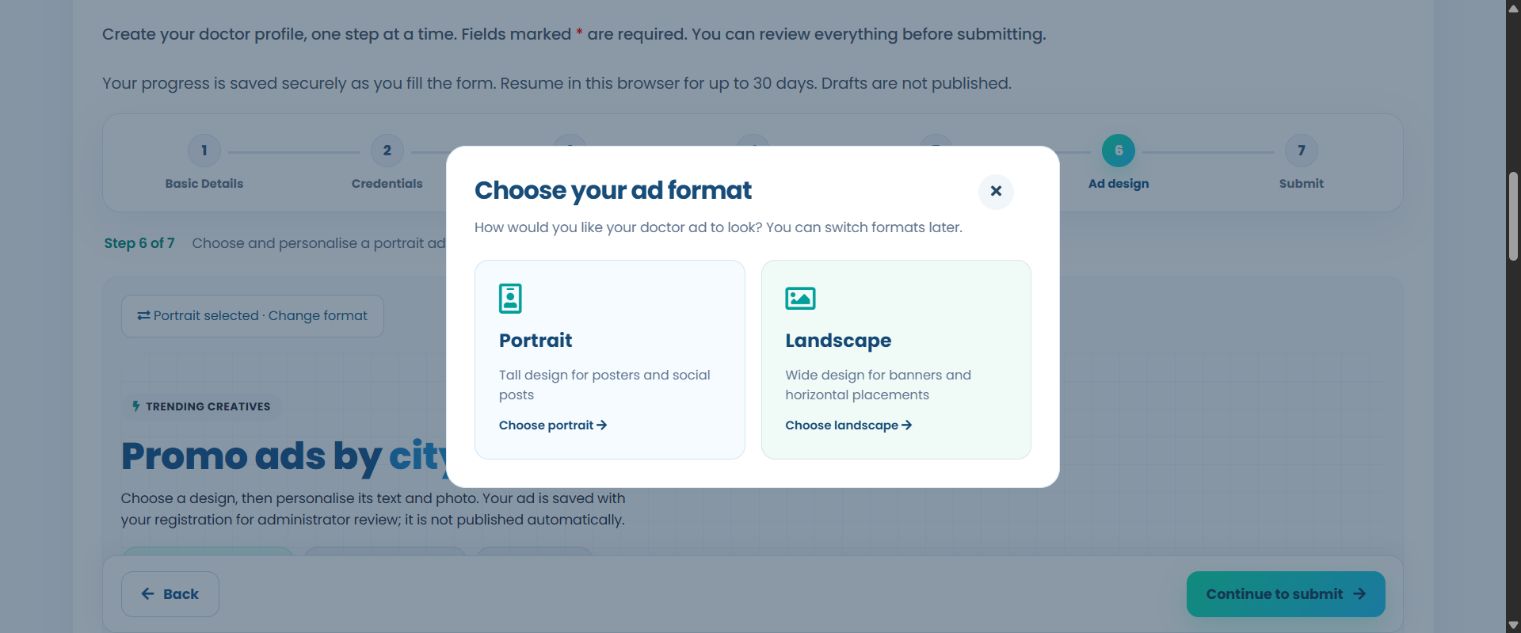
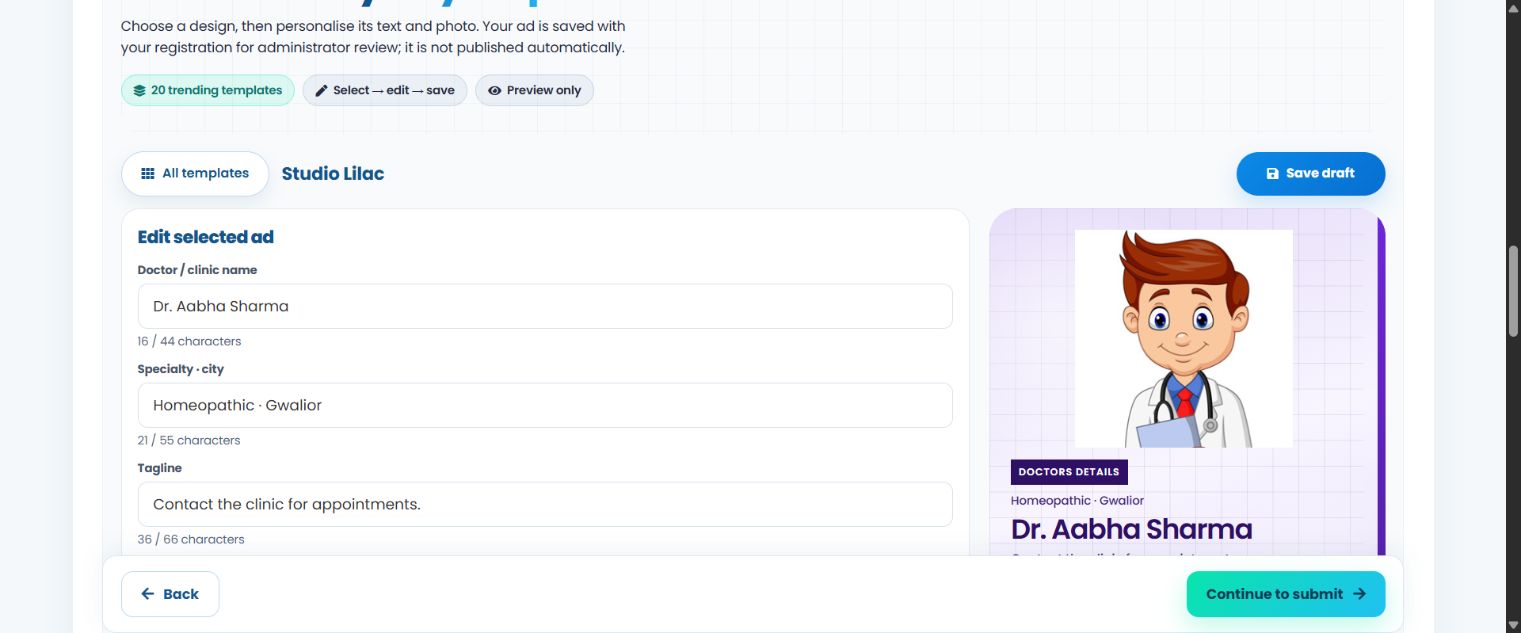
In Review, select Set Up Free Advertisement. Choose Portrait for a tall creative or Landscape for a wide banner. You can use Change format while designing.
Keep text within the limits shown beside each field.
Check both the phone number and address before saving. Only advertise services you actually provide.
The Website / Redirection URL controls where the ad opens. Leave it blank to open your doctor profile. Editing it here does not change your profile website.
Choose Continue to submit after saving. Saving the design alone does not publish it.
One chosen clinic ad runs free for three months, starting when the approved ad goes live. Profile verification and ad approval are still required.
07
STEP 7 OF 7
Submit your registration for review
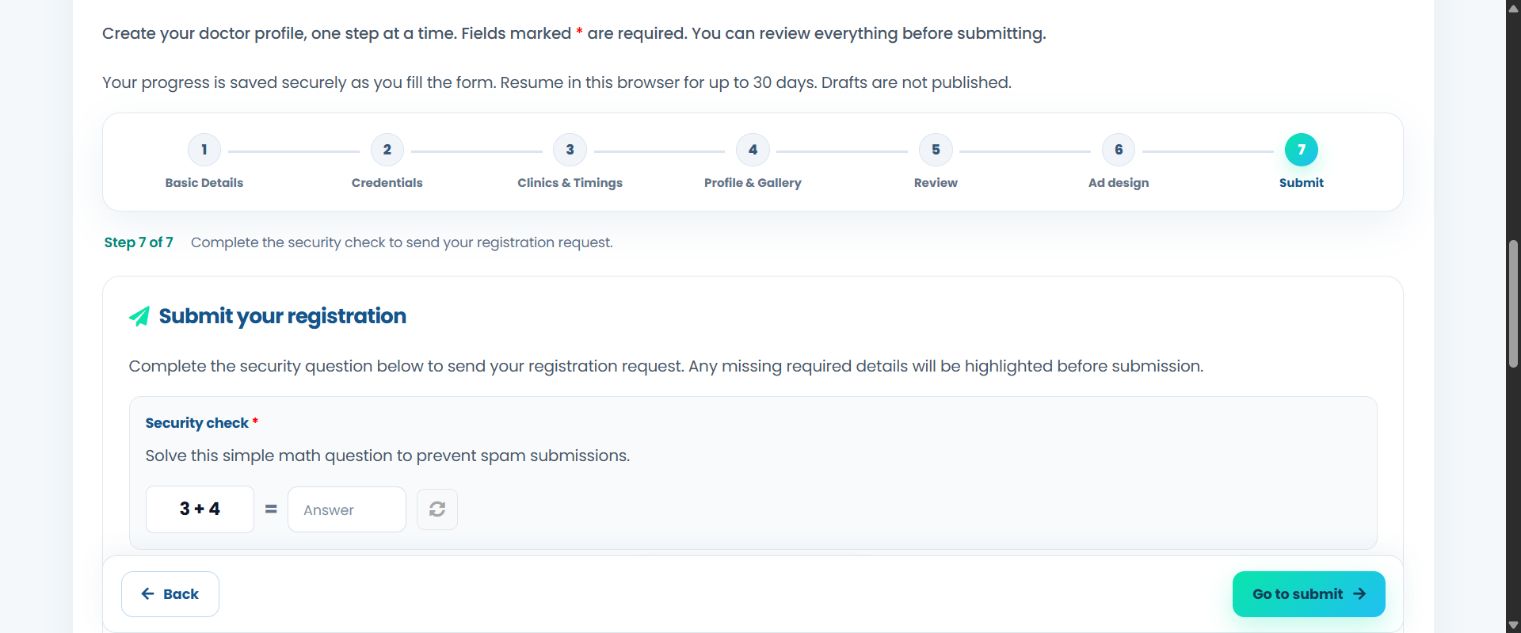
Complete the security question shown on your form, then choose Submit Registration. Wait for the confirmation before closing the page.
Your profile, photos and chosen ad design are sent for administrator review.
A saved draft is not a submitted registration. If a required field is highlighted, correct it and submit again.
The public profile is reviewed before publication. The form indicates a typical review period of 1–3 business days; this is not an instant-publication promise.
After successful registration, PMS may open while the public profile is still under review. Use your doctor login to return to the workspace.
The free-ad period starts on approved publication, not while you are filling the form.
Ready for your next step?
Use the guide while you complete your own profile. Check for the final submission confirmation.
I cannot continue to the next step. What should I check?
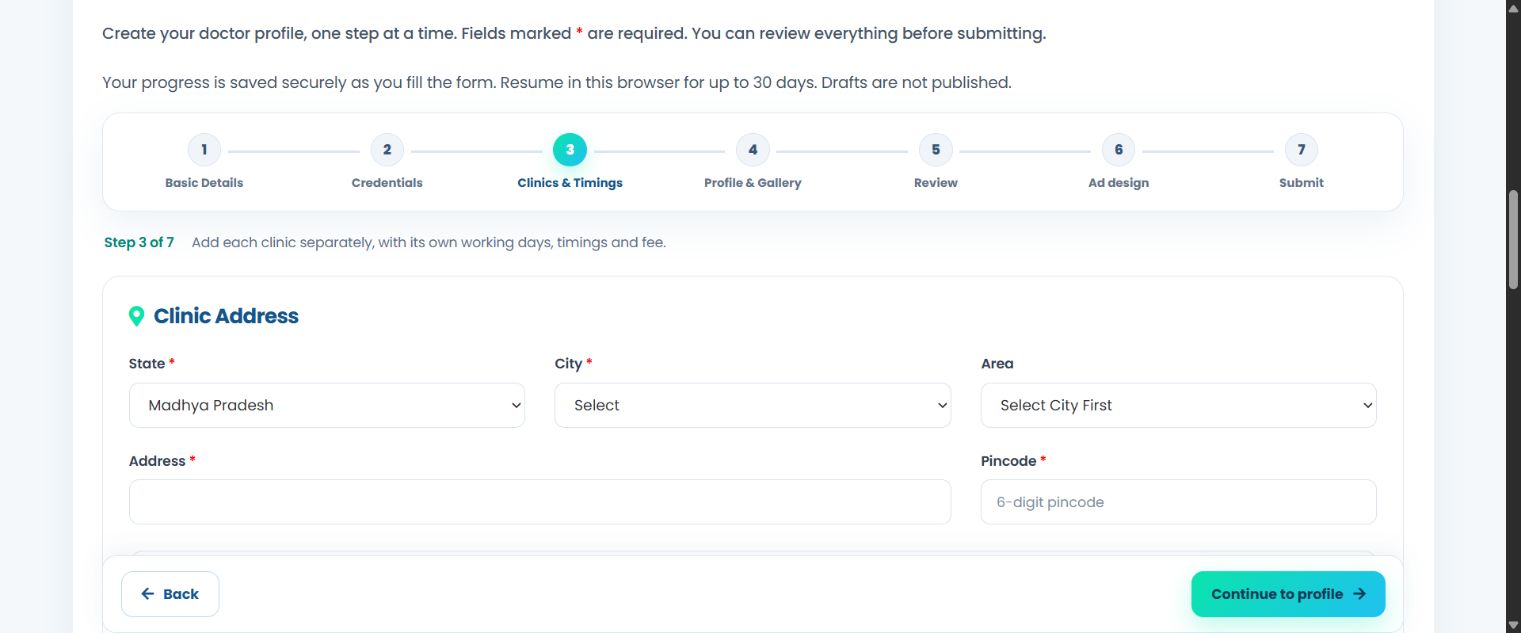
Look for the highlighted field and its message. Complete required fields marked *, use a 10-digit Indian mobile number without +91, check the six-digit pincode and make sure your passwords match. If saving fails, use Retry and wait for the saved confirmation.
Will my details or ad appear immediately?
No. A draft is private and final submission sends it for administrator review. A preview does not mean that the profile or ad is live. The three-month free period begins when the approved ad is published.
Must I buy a plan or accept WhatsApp marketing to get the free ad?
Paid promotion plans are optional. The welcome offer is one clinic ad for three months after successful registration or claim and approval. Optional WhatsApp marketing consent is not required for this offer.
My clinic number is shared with another doctor. Should I claim their profile?
No. Compare the name, qualifications and clinic details. Claim only your own listing or one you are authorised to manage. A shared number alone does not mean two profiles belong to the same doctor.
Can I pause and come back?
The registration form saves progress in your current browser for up to 30 days. Wait for the saved message and return using the same browser. This is a draft, not a published profile. Never leave a shared device signed in.
What should I send support if I am stuck?
Send your profile URL, the step name and the exact error to info@doctorsdetails.com. A screenshot can help, but do not include passwords, verification codes or patient information.
Screens checked on 27 November 2026. Screenshots show the current website forms; registration and ad examples were captured in an isolated preview without submitting an account or publishing an ad. Layout may vary on mobile. Sample details are not instructions to claim another doctor’s profile.
We use cookies for site functionality, analytics (Google Analytics), and - when enabled - contextual advertising (Google AdSense). Ad personalization stays disabled because this is a medical directory.
See our Cookie Policy and Privacy Policy.